
Table of Contents
Modern software teams increasingly use AI assistants to speed up planning, coding, testing, debugging, documentation, and review. Claude, Anthropic’s conversational AI model, is especially useful for developers because it can reason through requirements, analyze large code snippets, explain tradeoffs, and help transform rough ideas into working implementation plans. When used carefully, it becomes less like an autocomplete tool and more like a collaborative engineering assistant that can support many stages of the software development lifecycle.
TLDR: Claude can help developers write, refactor, explain, test, and debug code more efficiently when given clear context and specific instructions. The best results come from treating Claude as a technical collaborator, not as an unquestioned authority. Developers should provide relevant files, constraints, expected behavior, and examples, then review every output for correctness, security, and maintainability. Claude is most valuable when integrated into a disciplined workflow that includes testing, version control, code review, and documentation.
Understanding Claude’s Role in Coding
Claude is not a replacement for engineering judgment. Instead, it functions as a powerful assistant that can analyze problems, generate code, suggest architecture, and explain unfamiliar concepts. A developer may use Claude to create a first draft of a function, identify defects in a failing test, compare libraries, or document an internal API. Its strength comes from its ability to process natural language instructions along with technical context.
For example, a developer working on a backend service can describe the framework, database, existing code style, and desired behavior. Claude can then propose an implementation that aligns with those details. The more precise the input, the more useful the output becomes. Vague prompts often produce generic code, while detailed prompts can lead to practical, production-oriented suggestions.

Setting Up an Effective Workflow
Before using Claude for serious coding tasks, a development team should define how AI-generated work fits into its normal engineering process. Claude can produce helpful code quickly, but that speed must be balanced with validation. Every suggestion should pass through standard checks such as linting, unit tests, integration tests, security review, and peer review.
A practical workflow often includes the following steps:
- Define the problem: The developer explains the feature, bug, or refactoring goal in specific terms.
- Provide context: Relevant code snippets, file structure, dependencies, business rules, and constraints are shared.
- Ask for a plan: Claude first proposes an approach before writing code.
- Generate or modify code: The developer requests implementation only after the plan is reviewed.
- Test the output: The code is run locally or in a controlled environment.
- Review and refine: The developer checks correctness, maintainability, performance, and security.
This process helps prevent the common mistake of accepting AI-generated code without understanding it. Claude can accelerate development, but the human developer remains responsible for the final result.
Writing Better Prompts for Coding Tasks
The quality of Claude’s response depends heavily on the quality of the prompt. A strong coding prompt gives Claude enough information to make informed decisions. Instead of asking, “Write a login system,” a developer should specify the language, framework, authentication method, database, validation rules, error handling expectations, and security requirements.
A useful prompt might include:
- The programming language and version
- The framework or runtime environment
- The purpose of the feature or function
- Input and output examples
- Existing code conventions
- Performance or memory constraints
- Security considerations
- Testing expectations
For instance, a developer might write: “Create a TypeScript function for a Node.js service that validates a user profile update request. It should check email format, reject empty display names, allow optional phone numbers, and return structured validation errors. Use no external libraries and include unit tests.” This prompt gives Claude a clear target and reduces ambiguity.
Using Claude to Understand Existing Code
One of Claude’s most valuable uses is explaining unfamiliar codebases. Developers frequently inherit legacy systems, join ongoing projects, or revisit code they wrote months earlier. Claude can summarize what a function does, identify dependencies, explain control flow, and highlight potential risks.
When asking Claude to explain code, the developer should provide a focused snippet rather than an entire unrelated file. It is also useful to ask for different explanation levels. For example, Claude can provide a high-level summary for a product manager, a detailed walkthrough for an engineer, or a line-by-line explanation for a junior developer.
Claude may also help identify hidden assumptions. It can point out edge cases, unclear variable names, duplicated logic, or places where errors are swallowed. However, its interpretation should still be checked against actual runtime behavior, especially in complex systems.
Generating First Drafts of Code
Claude is particularly helpful for creating first drafts. It can produce utility functions, API handlers, database queries, configuration files, validation logic, scripts, and test cases. This can save time when the developer knows what needs to be built but wants to avoid starting from a blank editor.
To get a better draft, the developer should ask Claude to follow the project’s existing patterns. If a repository uses dependency injection, specific naming conventions, custom error classes, or a particular testing style, those details should be included in the prompt. Claude can then generate code that feels more consistent with the surrounding project.
Still, AI-generated drafts often require revision. Claude may choose a simple implementation when a more robust one is needed, or it may overlook a project-specific constraint. A developer should treat the generated code as a starting point, then refine it through testing and review.
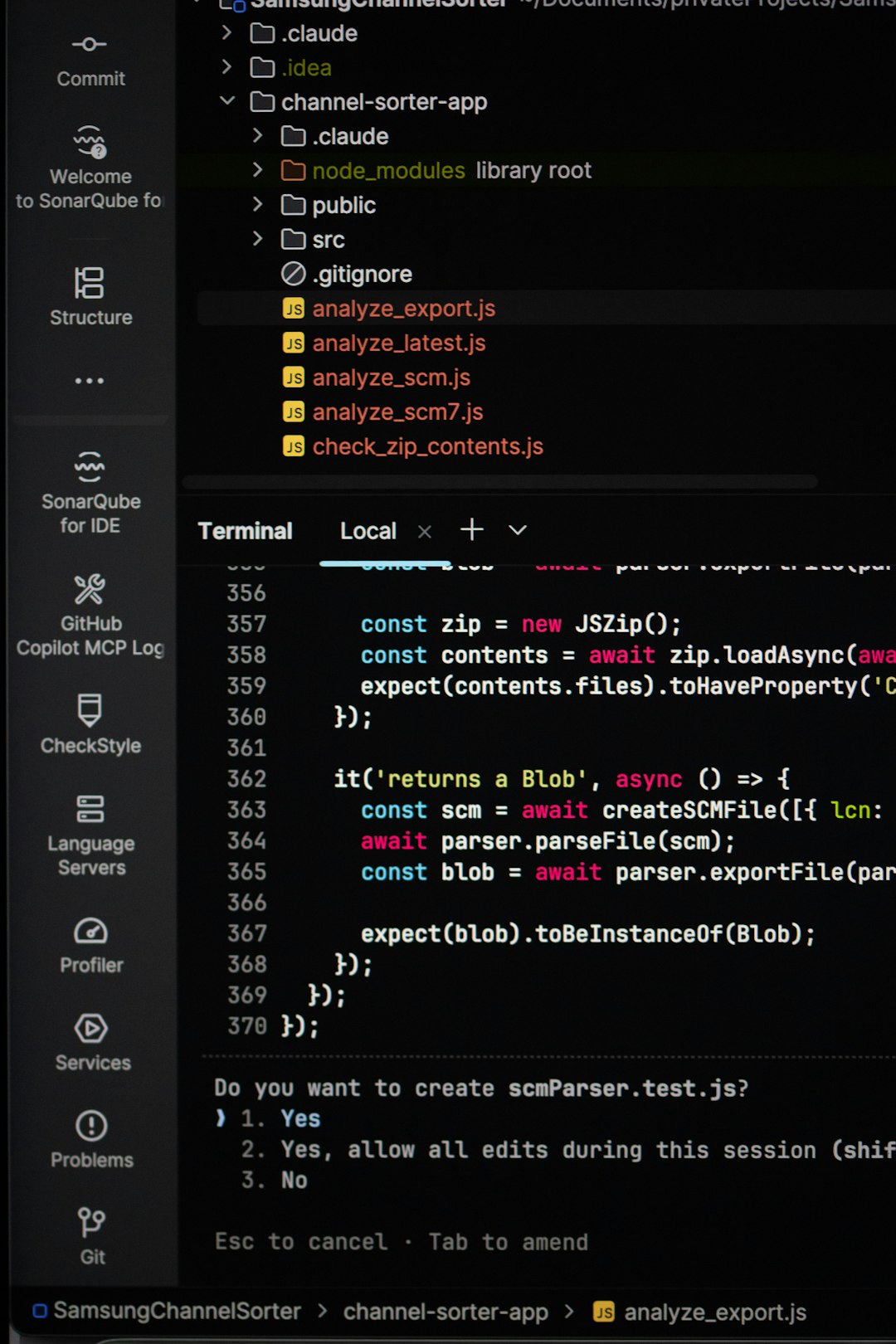
Debugging with Claude
Claude can be an effective debugging partner when given error messages, logs, failing tests, and relevant code. Instead of only asking why something is broken, a developer should provide the exact symptoms and steps already taken. A strong debugging prompt might include the error output, expected behavior, actual behavior, environment details, and recent code changes.
Claude can help by suggesting possible causes, ranking likely explanations, and recommending diagnostic steps. It may identify type mismatches, asynchronous timing issues, incorrect assumptions, missing environment variables, flawed database queries, or off-by-one errors. In many cases, Claude is most useful not because it immediately knows the answer, but because it helps structure the investigation.
A developer can ask Claude to respond with a debugging checklist. This is especially useful for complex problems where multiple layers are involved, such as frontend state, API communication, authentication, caching, and database persistence.
Refactoring and Improving Code Quality
Refactoring is another area where Claude can provide strong support. It can simplify nested conditionals, extract helper functions, improve naming, reduce duplication, convert code to a more modern syntax, or suggest a cleaner architecture. Developers can ask Claude to preserve behavior while improving readability.
Good refactoring prompts should define boundaries. For example, the developer may say: “Refactor this function for readability, but do not change its public interface or add new dependencies.” Such constraints help Claude avoid unnecessary redesigns.
Claude can also explain the tradeoffs of different refactoring options. It may compare a class-based approach with a functional approach, discuss whether a pattern is overengineered, or suggest incremental changes for a risky legacy component. This makes it useful not only for writing code, but also for making design decisions.
Creating Tests with Claude
Testing is one of the safest and most productive ways to use Claude. Developers can provide a function or module and ask Claude to generate unit tests, edge cases, mock data, and test descriptions. This can help reveal scenarios the developer may not have considered.
Claude can generate tests for common cases such as:
- Valid inputs
- Invalid inputs
- Boundary values
- Empty or missing data
- Permission failures
- Network or database errors
- Unexpected response formats
When using Claude for tests, the developer should ensure that the tests verify real behavior rather than simply matching the generated implementation. Tests should be meaningful, deterministic, and aligned with business requirements. If Claude writes both the code and the tests, a human reviewer should be especially careful, because the same flawed assumption may appear in both.
Using Claude for Documentation
Documentation often falls behind during fast development cycles. Claude can help by converting code into readable explanations, writing docstrings, creating README sections, preparing API usage examples, and summarizing architectural decisions. It can also adapt documentation for different audiences.
For internal engineering documentation, Claude can describe setup steps, environment variables, deployment procedures, and troubleshooting instructions. For external developers, it can create clearer API examples and explain error responses. The developer should verify that all generated documentation matches current behavior, since inaccurate documentation can be worse than no documentation.
Security and Privacy Considerations
Developers must be careful about what they share with any AI assistant. Sensitive information such as passwords, API keys, private customer data, proprietary algorithms, and confidential business logic should not be pasted into prompts unless the organization’s policies and tooling explicitly allow it. Code should be sanitized where necessary.
Claude can also help identify security risks, but it should not be the only security reviewer. A developer may ask Claude to inspect code for issues such as injection vulnerabilities, insecure authentication, weak validation, missing authorization checks, unsafe deserialization, or exposure of sensitive data. The results should then be verified through established security practices.

Best Practices for Developers
To use Claude effectively, developers should follow a few practical habits:
- Be specific: Clear requirements lead to better code.
- Ask for reasoning: Claude can explain why an approach is recommended.
- Request alternatives: Comparing options often reveals better designs.
- Use small chunks: Focused prompts are easier to review than massive outputs.
- Validate everything: Generated code should be tested and reviewed.
- Protect sensitive data: Prompts should follow company privacy and security policies.
- Iterate: The first answer is rarely the final answer.
Claude works best when the developer remains actively involved. Rather than asking it to build an entire system in one response, the developer can break work into design, implementation, testing, and review phases. This keeps the process understandable and reduces the risk of hidden errors.
Common Use Cases
Claude can support many everyday development tasks. It can translate code from one language to another, explain regular expressions, generate SQL queries, review pull request changes, create shell scripts, write migration plans, improve error messages, and produce example API requests. It can also help developers learn unfamiliar frameworks by explaining concepts in relation to technologies they already know.
For senior engineers, Claude can act as a rapid brainstorming partner. For junior developers, it can serve as a patient tutor that explains concepts and suggests next steps. For teams, it can reduce repetitive work and improve consistency when used with shared prompting guidelines.
Limitations to Keep in Mind
Claude may sometimes produce code that looks correct but contains subtle bugs. It may assume unavailable libraries, misunderstand project-specific behavior, or overlook performance implications. It can also provide outdated information about APIs or frameworks if the relevant details are not included in the prompt.
Because of these limitations, developers should avoid blindly copying generated code into production. The safest approach is to use Claude for acceleration, explanation, and ideation while relying on professional engineering practices for final validation.
Conclusion
Claude can be a highly effective coding assistant for developers who use it thoughtfully. It can help write first drafts, explain complex code, debug issues, generate tests, refactor modules, and improve documentation. Its value increases when developers provide clear context, define constraints, and review outputs carefully.
Used well, Claude does not remove the need for technical skill. Instead, it amplifies that skill by reducing repetitive work and supporting better thinking. A disciplined developer can use Claude to move faster while still maintaining quality, security, and long-term maintainability.
FAQ
Can Claude write production-ready code?
Claude can generate code that may be close to production-ready, but developers should still review, test, and adapt it. Production code must meet project standards for correctness, security, performance, and maintainability.
Is Claude better for beginners or experienced developers?
Claude can help both. Beginners can use it to learn concepts and understand errors, while experienced developers can use it to speed up planning, refactoring, testing, and documentation.
What should a developer include in a coding prompt?
A strong prompt should include the language, framework, goal, constraints, relevant code, expected behavior, examples, and testing requirements. The more specific the context, the better the result.
Can Claude debug code?
Yes. Claude can analyze error messages, logs, failing tests, and code snippets to suggest likely causes and troubleshooting steps. However, the developer should verify the diagnosis by running and testing the code.
Is it safe to paste private code into Claude?
Developers should follow their organization’s privacy and security policies. Sensitive data, secrets, credentials, and confidential customer information should not be shared unless approved safeguards are in place.
Can Claude replace code review?
No. Claude can assist with code review by pointing out possible issues, but human review remains essential. Team standards, domain knowledge, and accountability still require experienced developers.
How can Claude help with testing?
Claude can generate unit tests, edge cases, mock data, and test plans. Developers should ensure the tests reflect true requirements and are not merely confirming assumptions from generated code.