
Table of Contents
When browsing through the Task Manager on a Windows computer, it’s not uncommon to encounter unfamiliar processes running in the background. One such process that raises frequent questions is jusched.exe. For many users, seeing an unfamiliar executable file immediately raises concerns about security, malware, or system performance. Understanding what jusched.exe is, what it does, and whether it’s safe is essential before deciding to disable or remove it.
TLDR: jusched.exe is the Java Update Scheduler, a legitimate process developed by Oracle to keep Java up to date. It is generally safe and not malware, provided it is located in the correct system directory. While not essential for Windows to function, it plays an important role in delivering Java security updates. If it consumes unusual resources or appears outside the standard location, it should be investigated further.
What Is jusched.exe?
jusched.exe stands for Java Update Scheduler. It is a background process installed alongside the Java Runtime Environment (JRE). Its main function is to periodically check for updates to Java software and notify users when new versions are available.
Java is widely used for:
- Running web-based applications
- Enterprise software systems
- Development environments
- Online tools and utilities
Keeping Java up to date is critical because outdated versions frequently contain security vulnerabilities. The role of jusched.exe is to ensure users receive the latest patches and security improvements.
Where Is jusched.exe Located?
The legitimate jusched.exe file is typically found in the following location:
- C:\Program Files\Java\jre<version>\bin\jusched.exe
If you find jusched.exe running from this directory, it is very likely safe. However, if the file is located in:
- C:\Windows
- C:\Windows\System32
- Your user profile directories
- Temporary folders
—it may be suspicious and could potentially indicate malware disguised under the same name.
What Does jusched.exe Actually Do?
Many users assume background processes are actively consuming large amounts of system resources. In reality, jusched.exe is a lightweight scheduler that performs very limited tasks.
Its primary functions include:
- Checking Oracle servers for newer Java versions
- Alerting the user when updates are available
- Launching the Java update installer
Importantly, it does not run constantly at high CPU levels. Most of the time, it remains idle in the background.
Is jusched.exe Safe?
In standard circumstances, yes, jusched.exe is safe. It is a legitimate executable file developed and digitally signed by Oracle Corporation.
That said, malware developers sometimes disguise malicious files by naming them after legitimate Windows or third-party processes. Therefore, safety depends on verifying a few conditions:
- The file is located in the correct Java directory
- It carries a valid Oracle digital signature
- It does not consume unusually high CPU or memory resources
- Your antivirus software does not flag it as suspicious
If all these conditions are satisfied, there is no cause for concern.
Can jusched.exe Be Malware?
While the original jusched.exe is not malware, malicious programs can disguise themselves using the same filename. This tactic is common because users are less likely to question a familiar system process.
Warning signs of a fake jusched.exe include:
- Unusually high CPU usage
- Frequent crashes or system instability
- Network activity when no update is occurring
- The file residing outside the Java installation folder
To verify authenticity:
- Right-click the file in Task Manager.
- Select Open file location.
- Right-click the file and choose Properties.
- Check the Digital Signatures tab for Oracle.
If no digital signature exists or the signer appears suspicious, running a full antivirus scan is strongly recommended.
Does jusched.exe Affect Performance?
Under normal circumstances, jusched.exe has minimal impact on system performance. It consumes negligible memory and CPU resources while idle.
However, in rare cases, users report:
- Slower startup times
- Delayed logins
- Background resource spikes during update checks
Such cases are typically temporary or related to outdated Java installations.
Is jusched.exe Necessary?
This is where opinions differ.
Technically, jusched.exe is not required for Windows to operate. It is not a core system process. If you disable it, your computer will continue functioning normally.
However, disabling it means:
- You will not receive update notifications automatically
- You must check for Java updates manually
- You may expose your system to security vulnerabilities if updates are ignored
Given that Java vulnerabilities can be severe, keeping automatic updates enabled is generally the safer choice.
How to Disable jusched.exe Safely
If you decide you do not want jusched.exe running at startup, you can disable it without uninstalling Java.
Method 1: Using Java Control Panel
- Open the Control Panel.
- Select Java.
- Go to the Update tab.
- Uncheck Check for Updates Automatically.
Method 2: Using Task Manager (Startup Tab)
- Press Ctrl + Shift + Esc.
- Go to the Startup tab.
- Locate Java Update Scheduler.
- Click Disable.
This prevents jusched.exe from launching automatically but does not remove Java from your system.
Should You Remove It Completely?
Removing jusched.exe entirely means uninstalling Java. Before doing so, consider whether any applications depend on Java.
You can check installed programs:
- Open Settings.
- Select Apps.
- Look for Java in the installed programs list.
If you do not use Java-based software, uninstalling Java may reduce your system’s attack surface.
Comparison: Disable vs Remove vs Keep
| Option | Security Risk | Convenience | System Impact | Recommended For |
|---|---|---|---|---|
| Keep Enabled | Low | High | Minimal | Most users |
| Disable Startup | Medium (if updates ignored) | Moderate | Very Low | Advanced users who update manually |
| Uninstall Java | Very Low (if not needed) | Low (if apps require Java) | None | Users who never use Java-based apps |
When Should You Worry?
You should investigate jusched.exe if:
- It uses more than 10–15% CPU consistently
- Your antivirus flags it
- Multiple instances are running simultaneously
- It generates unexplained network traffic
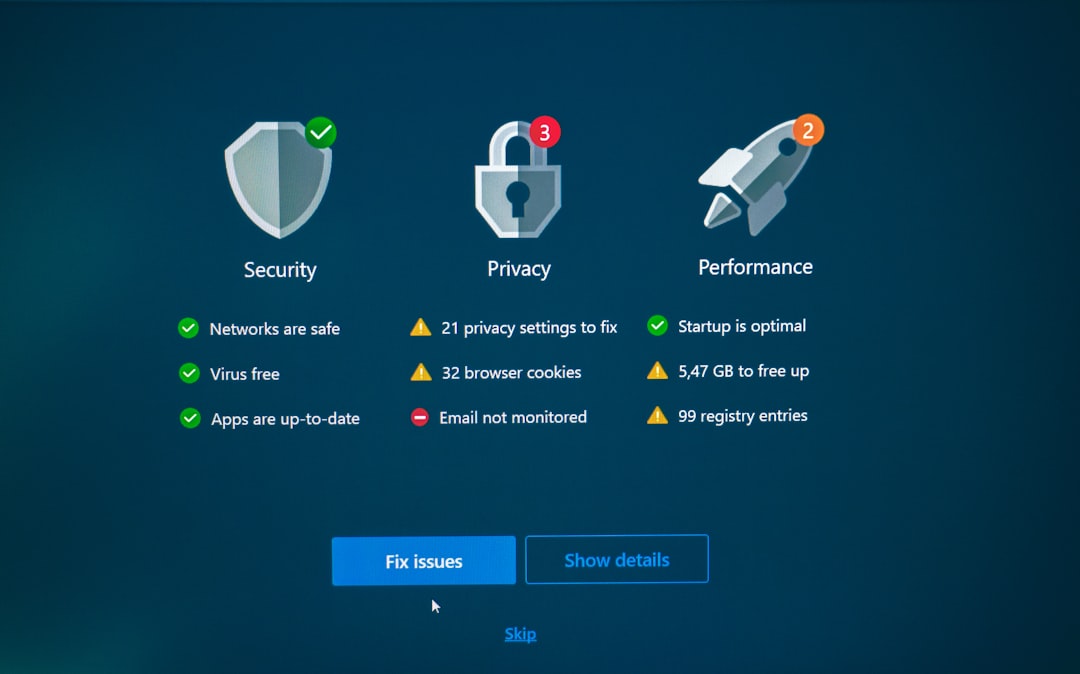
In such cases:
- Run a full antivirus and anti-malware scan.
- Check file location and digital signature.
- Reinstall Java from the official Oracle website if necessary.
Best Security Practices Regarding jusched.exe
To ensure jusched.exe remains safe:
- Download Java only from the official Oracle website
- Keep your antivirus software updated
- Regularly review startup programs
- Remove outdated software versions
Security vulnerabilities in Java are common targets for attackers. Therefore, keeping Java updated—or removing it if unused—is a responsible security practice.
Final Assessment
jusched.exe is not inherently dangerous. It is a legitimate, purpose-built background process designed to keep Java installations secure and current. In most cases, it consumes minimal resources and poses no harm to your system.
That said, users should remain vigilant. Malware can disguise itself under trusted filenames. Verifying the file’s location and digital signature is the simplest way to confirm authenticity.
For most users, the safest course of action is to leave jusched.exe enabled so that Java updates are delivered automatically. Advanced users who prefer manual control may disable it—but must stay disciplined about checking for updates themselves.
Understanding background processes like jusched.exe empowers you to make informed decisions rather than reacting out of uncertainty. In cybersecurity, knowledge is far more effective than guesswork.