
Table of Contents
Modern teams no longer collaborate exclusively in conference rooms. With remote and hybrid work now standard across industries, organizations need digital environments that allow people to brainstorm, plan, and execute projects together in real time. One of the most widely adopted platforms for this purpose is Miro. Known as an online collaborative whiteboard platform, Miro enables teams to visualize ideas, map processes, and manage workflows in a flexible and interactive workspace.
TLDR: Miro is a cloud-based collaborative whiteboard designed to help teams brainstorm, plan, and manage projects visually. It offers templates, real-time collaboration tools, integrations with popular software, and workflow features for agile, design, and strategic planning teams. Teams use Miro for workshops, product roadmapping, user journey mapping, and more. Its intuitive interface and cloud accessibility make it a powerful solution for distributed collaboration.
What Is Miro?
Miro is a web-based visual collaboration platform that provides an infinite digital whiteboard where teams can work together in real time or asynchronously. Designed to replace or supplement physical whiteboards, Miro allows users to create diagrams, mind maps, user flows, organizational charts, product roadmaps, and strategic plans within a single shared workspace.
Founded in 2011, Miro has grown into an enterprise-grade platform serving companies of all sizes, including startups, mid-sized firms, and large global organizations. It is commonly used by:
- Product teams for roadmapping and sprint planning
- Design teams for wireframing and user journey mapping
- Engineering teams for architecture diagrams
- Marketing teams for campaign planning
- Leadership teams for strategy workshops
Miro functions entirely in the cloud and runs in web browsers, with desktop and mobile applications available for enhanced usability.
Core Features of Miro
Miro’s value lies in its blend of flexibility, structure, and collaboration capabilities. Below are its most important features.
1. Infinite Canvas
Unlike traditional documents or slides, Miro offers an infinite canvas where users can zoom in and out and create as much content as needed. This makes it ideal for complex workflows, brainstorming sessions, and strategic planning exercises that require expansive visual space.
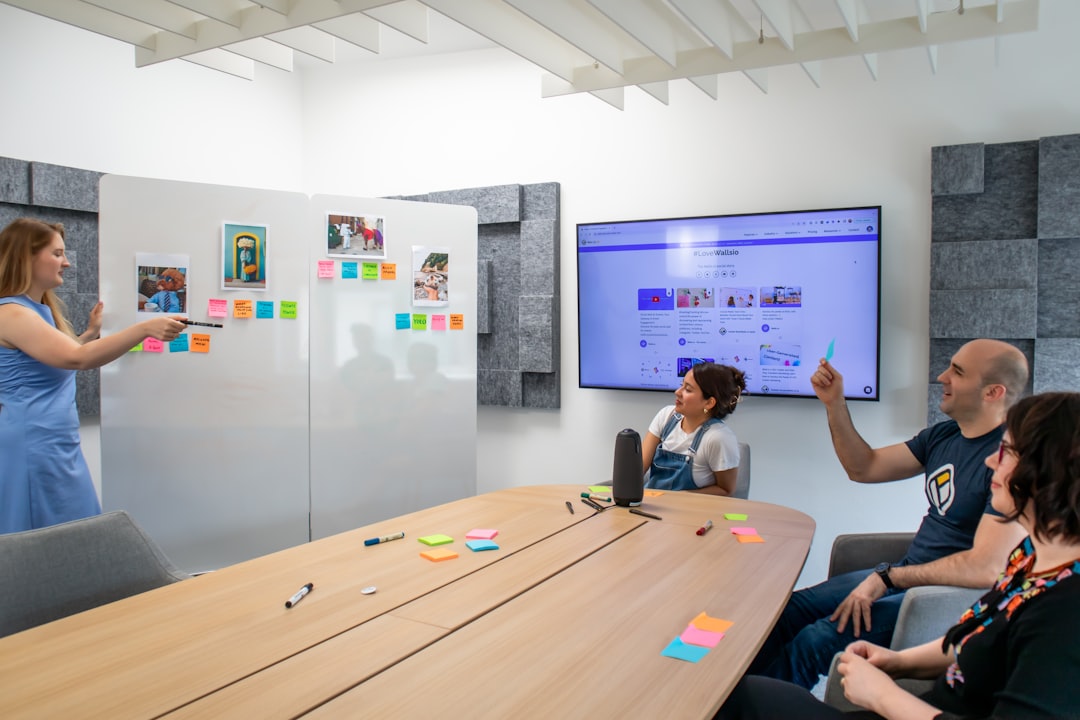
2. Real-Time Collaboration
Multiple participants can work on a board simultaneously. Miro displays live cursors with user names, making it clear who is contributing what. Teams can:
- Add comments and tag collaborators
- Use reactions and voting tools
- Follow specific participants during presentations
- Track changes in real time
This capability is particularly important for distributed teams operating across time zones.
3. Pre-Built Templates
Miro includes hundreds of ready-made templates that accelerate common workflows. These templates cover:
- Agile retrospectives
- Product roadmaps
- Kanban boards
- SWOT analysis
- Customer journey maps
- Mind maps
- Flowcharts
Templates reduce setup time and help teams follow proven frameworks.
4. Diagramming and Visualization Tools
Miro offers a comprehensive set of visual tools including:
- Sticky notes
- Text boxes
- Shapes and connectors
- Icons and widgets
- Tables and grids
- Wireframe kits
These tools allow teams to move seamlessly from ideation to structured execution planning.
5. Integration with Other Tools
Miro integrates with widely used software systems such as:
- Slack
- Microsoft Teams
- Jira
- Trello
- Asana
- Google Workspace
- Zoom
This integration ecosystem ensures that Miro does not exist in isolation but becomes part of a broader workflow.
6. Presentation and Facilitation Mode
Miro includes built-in presentation capabilities, allowing facilitators to guide participants through a structured narrative. Users can create frames that function like slides and switch to presentation mode without exporting content to another platform.
How Miro Works for Teams
Miro’s workflow is straightforward but flexible, making it adaptable to nearly any collaboration model.
Step 1: Create a Board
A team member creates a new board from scratch or selects a template. Boards can be organized into folders by project, department, or initiative.
Step 2: Invite Team Members
Users invite collaborators via email or shareable links. Access permissions can be adjusted:
- Viewer: Can only view content
- Commenter: Can leave feedback
- Editor: Can modify content
Step 3: Collaborate in Real Time or Async
Team members can work together live during meetings or contribute asynchronously. Comments, mentions, and notifications ensure communication stays organized.

Step 4: Integrate and Execute
Once planning is complete, tasks can be exported or synced with tools like Jira or Asana for execution. This bridges the gap between brainstorming and operational delivery.
Common Use Cases
Miro’s versatility is reflected in its wide range of applications.
1. Agile Project Management
Scrum and agile teams use Miro for:
- Sprint planning
- Backlog prioritization
- Retrospectives
- Daily standups
Kanban frameworks and story maps are particularly popular within product development teams.
2. Design Thinking Workshops
Miro is frequently used for structured design thinking exercises, including empathy mapping, problem definition, and prototyping. Facilitators can guide participants through collaborative exercises with timers and voting tools.
3. Strategic Planning
Leadership teams use Miro for:
- Quarterly planning sessions
- OKR mapping
- Business model canvases
- Market positioning diagrams
The visual environment encourages clarity and shared alignment.
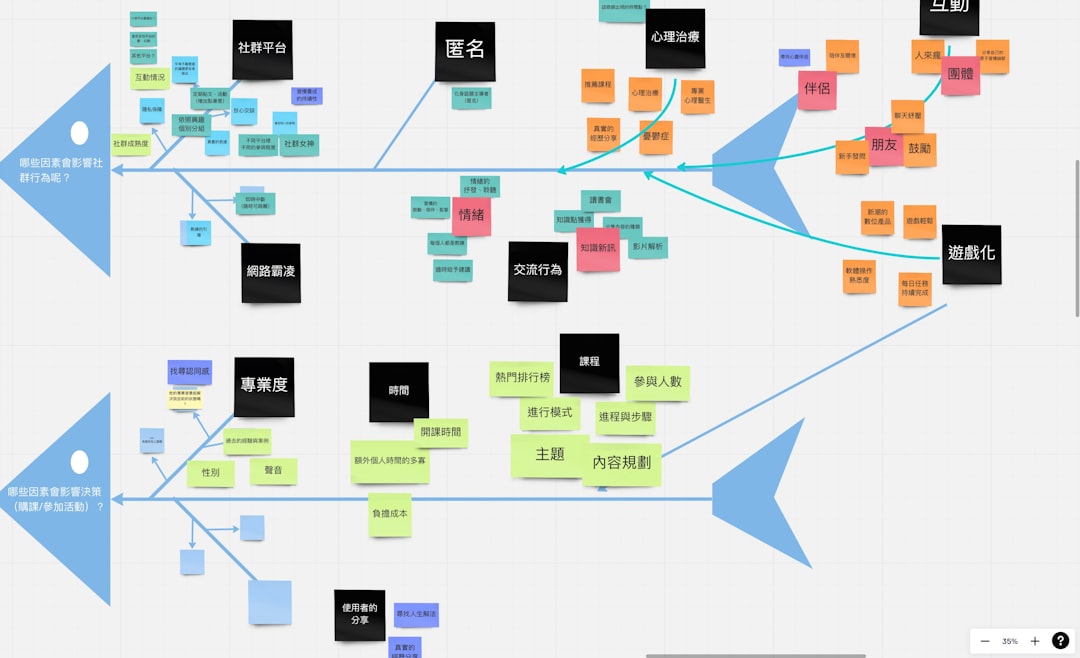
4. Process Mapping
Operations teams rely on Miro to document workflows, identify bottlenecks, and improve efficiencies. Flowcharts and swimlane diagrams help clarify cross-functional responsibilities.
5. Educational and Training Sessions
Instructors and corporate trainers use Miro to run interactive sessions with breakout activities, collaborative exercises, and structured learning paths.
Benefits of Using Miro
Organizations adopt Miro not only for its features but also for its strategic advantages.
- Improved engagement: Visual collaboration increases participation.
- Greater alignment: Teams can see the entire context in one shared space.
- Accessibility: Cloud-based access supports remote and hybrid models.
- Scalability: Suitable for startups and large enterprises.
- Structured creativity: Combines freeform ideation with formal frameworks.
Security and Enterprise Capabilities
For larger organizations, security is a critical consideration. Miro offers enterprise-grade features such as:
- Single sign-on (SSO)
- Advanced access controls
- Administrative oversight
- Compliance with major security standards
These features make it viable for regulated industries and global corporations.
Potential Limitations
While Miro is powerful, teams should also consider potential constraints:
- Large boards may become visually overwhelming.
- Advanced features can require onboarding and training.
- Heavy reliance on internet connectivity.
With proper facilitation and structure, however, these challenges can typically be mitigated.
Is Miro Right for Your Team?
Miro is particularly well suited for teams that:
- Work remotely or in hybrid environments
- Rely heavily on collaborative brainstorming
- Practice agile or design methodologies
- Need visual documentation of processes
It may be less essential for teams whose workflows are purely text-based or highly transactional without collaborative planning.
Conclusion
Miro has established itself as a comprehensive platform for visual collaboration in modern organizations. By combining an infinite digital canvas with structured templates, real-time collaboration tools, and deep integrations, it allows teams to move fluidly from ideation to execution. Whether used for agile planning, design thinking, strategic alignment, or operational process mapping, Miro provides a shared environment where ideas can be built collectively and transparently.
As distributed work continues to shape the future of business, platforms like Miro play a central role in enabling teams to think, plan, and innovate together—regardless of geographical boundaries. For organizations seeking clarity, engagement, and structured collaboration, Miro represents a mature and reliable solution.